

Make YouTube Thumbnails That Stand Out
Like ChatGPT for thumbnails and titles, but you control the design outcome. Your video, packaged like a pro. Multiple variations for download.
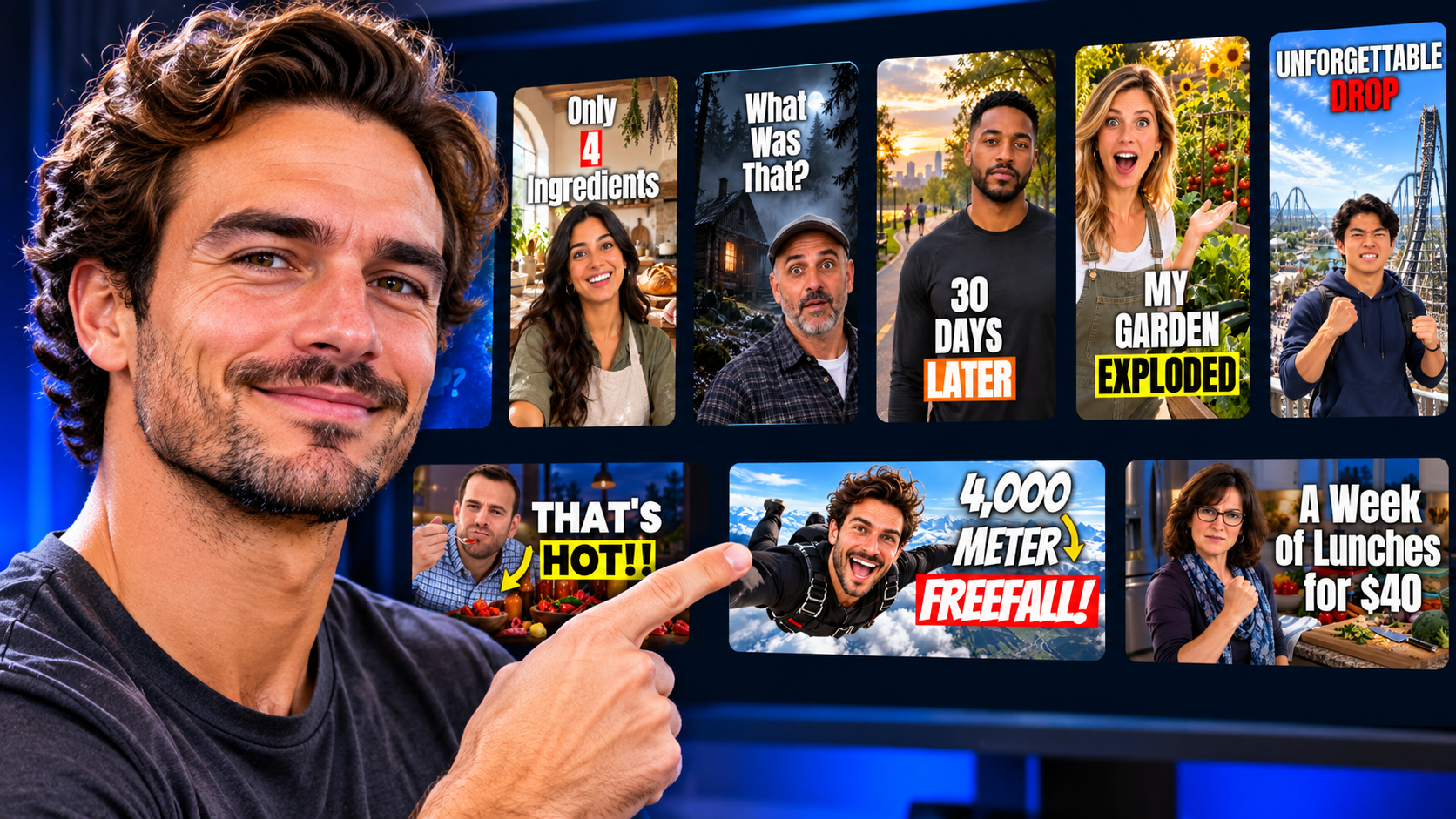
AI-Powered Design. One Unified Creative Workflow.
From your original video to a complete Video Wrap, everything comes together in one simple process.
Start With Your Video
Describe your video or paste a YouTube link.
Customize Your Wrap
Choose your titles, add your photo, select your style, and customize your thumbnail.
Get Your Video Wrap
Get 3 thumbnail options, titles, description, tags, hashtags and chapters*, ready to download.
*Chapters need a YouTube link or a video upload, 2+ minutes long.
Why WrapMyVideo?
One streamlined creative workflow. From idea to compelling thumbnails and titles.
AI-POWERED. WITH YOU IN CONTROL.
Add your photo, choose your pose, scene, layout, background and visual style.
FINE-TUNE UNTIL IT'S JUST RIGHT.
AI doesn't always get it perfect. After your first draft, adjust fonts, sizes, colors, text positioning and other elements. Make unlimited live text edits until everything looks exactly how you want.
MORE DESIGNS. MORE WAYS TO STAND OUT.
Generate multiple thumbnail variations. Explore different creative directions, compare designs, A/B test and discover what resonates with your audience.
Top 6 Things to Know When Designing a Great YouTube Thumbnail
A great thumbnail doesn't just look good. It grabs attention, creates curiosity and gives viewers a reason to click. Here are six principles to keep in mind when designing your next thumbnail.
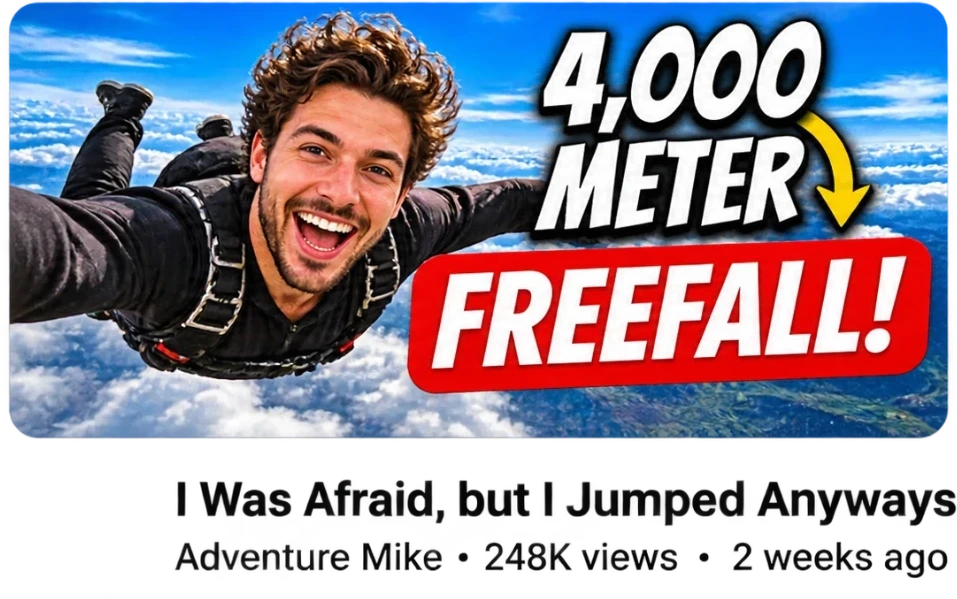
MAKE THE THUMBNAIL TEXT AND TITLE WORK TOGETHER
Pro tipYour thumbnail text should complement your video title, not repeat it.
Don't simply repeat the video title in your thumbnail. Each should add something new. Use the title to introduce the topic or promise, and the thumbnail text to add emotion, intrigue, tension or a surprising angle.
✓ Good combination
Video title: "Why Do People Lose Their Hair?"
Thumbnail text: "THE REAL REASON"
The title introduces the subject. The thumbnail adds curiosity.
✕ Weak combination
Video title: "Why Do People Lose Their Hair?"
Thumbnail text: "WHY PEOPLE LOSE HAIR"
The thumbnail simply repeats what the title already says.
Create one clear visual focal point
Give viewers something specific to look at. Use one dominant subject, face, object or scene. Avoid cramming too many elements into the design. The message should be understood almost instantly.
Use emotion to create interest
A powerful expression, dramatic moment or unexpected visual can make someone stop scrolling. Choose imagery that reflects the feeling or central idea of the video. Make viewers feel something before they even read the text.
Make your text bold, short and easy to read
Use a few powerful words rather than a sentence. Choose bold, legible fonts, strong contrast and clear text placement. Every word should earn its place. Don't let text compete with the main image.
Design for mobile first
Most viewers will discover your video on a small screen. Once your thumbnail is generated, use WrapMyVideo's Preview in feed to see how it looks alongside other videos. Make sure your text stands out, your subject is clear and your design grabs attention in the feed.
Create multiple thumbnails. Test what works.
Don't settle for just one design. Create three different thumbnail variations for the same video, each with its own visual approach and creative direction.
YouTube allows eligible creators to A/B test up to three thumbnails and titles. Use WrapMyVideo to create your variations, then test them and see which combination performs best.
The goal isn't just to create a thumbnail you like. It's to discover what your audience responds to.
One final thought: A great thumbnail and title work as a team. The thumbnail earns attention, the title builds the promise, and together they give viewers a reason to click.
More than a thumbnail
Every Wrap also gives you titles, a description, tags, hashtags and chapters*.
- Titles
- Description
- Tags
- Hashtags
- Chapters*
*Chapters need a YouTube link and must be, 2+ minutes long.
Frequently asked questions
Is it free to try?
Yes. Your first thumbnail is free for new accounts, no credit card needed.
Do I need to upload my video?
No. Describe your video or paste a YouTube link.
Can I use my own photo?
Yes. Add your photo and choose how you pose in the thumbnail.
Does it work for Shorts and vertical video?
Yes. Choose horizontal (16:9) or vertical (9:16).
Can I edit the text?
Yes. Editing your thumbnail text is free, as many times as you like.